01
Find an ad. Keep it.
Select loaded ads on supported library pages. Save available media with public copy, CTAs, landing pages and source links.
CHROME EXTENSION / YOUR LOCAL AD LIBRARY
Keep the creative, copy and source together. Build a collection you can find and return to when it is time to make something new.
Coming soon to the Chrome Web Store

FROM DISCOVERY TO YOUR NEXT CREATIVE
Select loaded ads on supported library pages. Save available media with public copy, CTAs, landing pages and source links.
Create a collection for a client or campaign. Add tags and a note about the opening, product message or shot you want to study.
Export a ZIP or individual files. Track progress in the task center and use full backups to move your collection to another browser.
A COLLECTION YOU WILL ACTUALLY RETURN TO
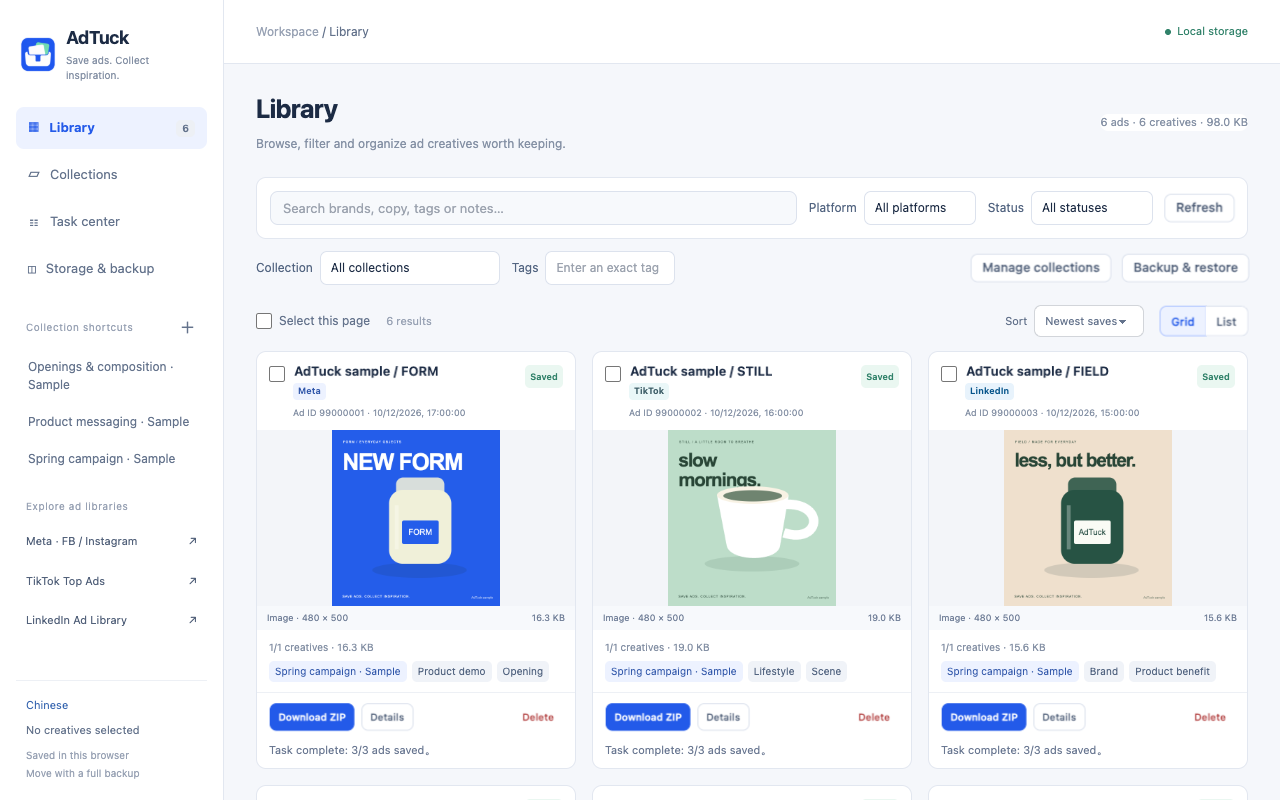
Browse creatives, manage collections, follow tasks and back up your library in separate views. Filter by platform, keyword or save status, then open the details for the full context.
START WITH THE LIBRARIES YOU KNOW
Availability depends on what the source page makes public. Select ads you have loaded, then save or export.
Facebook / Instagram Ad Library
Images, videos, supported image carousels and public information
Open ad libraryCreative Center · Top Ads
Public creatives from Top Ads lists and details
Open ad libraryPublic Ad Library
Publicly previewable images, videos and image carousels
Open ad libraryOrdinary social feeds are not supported. TikTok Top Ads is not the full TikTok ad archive.
KEPT IN YOUR BROWSER
No AdTuck account, cloud sync or usage tracking. Creatives, notes, tags and tasks stay in your current browser profile. Back up important collections before uninstalling.
Read how data is handledNo. The extension has no collection upload service or analytics. Media downloads and detail enrichment connect to the source platforms. If you email support, we use that message to answer your request.
Batch actions only handle loaded ads you select, up to 200 per batch. The extension does not automatically crawl the historical archive.
Create a full backup, then import it into AdTuck on your new computer. Collections do not sync automatically between devices or browser profiles.
Public visibility does not grant reuse rights. Save and use content only where you have the rights or permission, subject to source terms and applicable rules.
SAVE ADS. COLLECT INSPIRATION.
Start with one ad and build a reference library of your own.